How to Grant a Third-Party Agency Access to Meta Business Manager
Follow the steps below to grant a third-party agency access to your Meta Business Manager assets. This allows your agency to manage your Pages and ads on your behalf without taking ownership of your account.
Note: Granting access to a third-party agency does not transfer ownership of your account. It only gives them permissions to help you manage your Pages or ads.
- Go to your Meta Business Manager Settings. (If prompted, select your Business Account from the dropdown.)
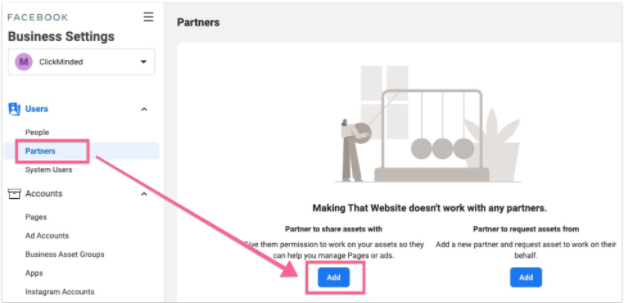
- Click Partners, then click Add under "Add a partner to share assets with."
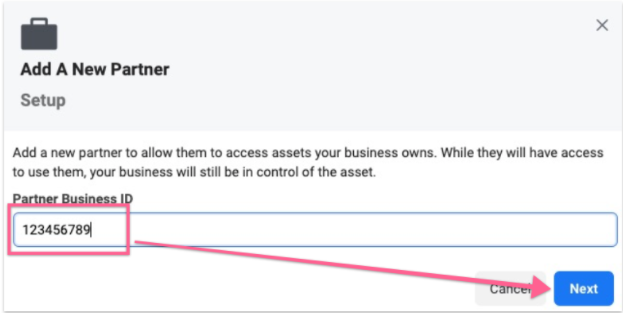
- Enter the Partner Business ID (877372492320122) and click Next.
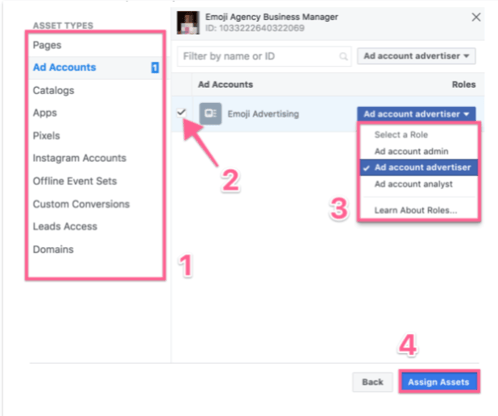
- Select the assets you want to share with your partner and assign each one an appropriate role (i.e. the level of access they should have). When you’re done, click Assign Assets:
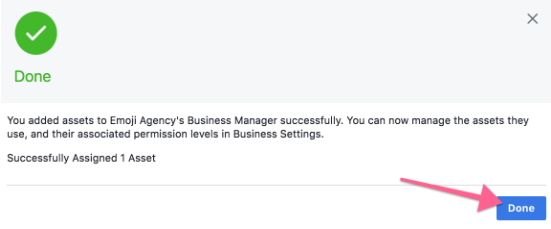
- You’ve successfully shared your assets with your partner’s Business Manager. They can now assign those permissions to other members of their team. If you ever need to update or revoke access, you can do so at any time from the Partners section in Meta Business Manager Settings.