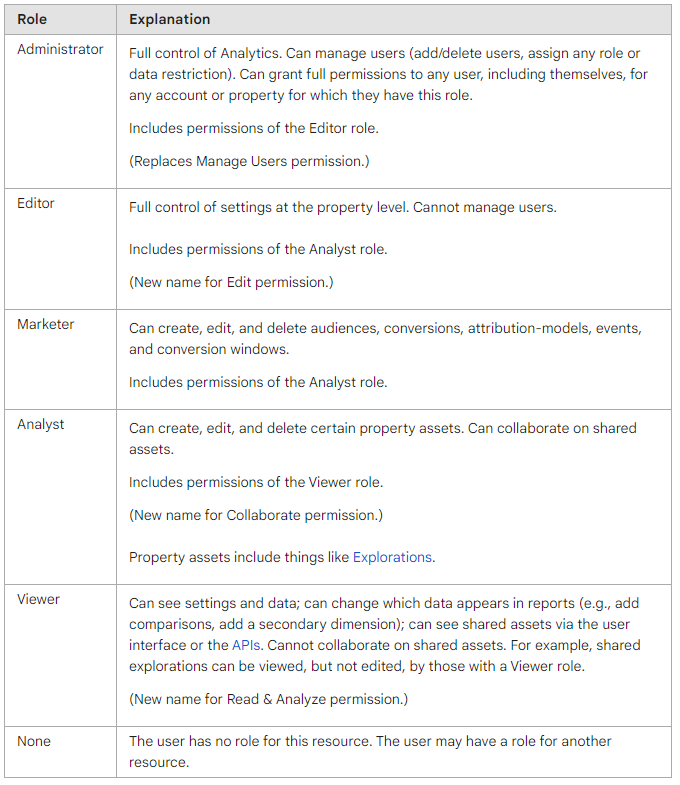
Google Analytics allows you to grant access to other users so they can view your data or create reports for your company. Granting access is the safest way to share your site’s data — no login credentials need to be shared. **Note:** This article covers access for Google Analytics 4 (GA4), which replaced Universal Analytics in July 2023. If you are still using Universal Analytics, please contact us for guidance.
To get started, please provide our team with access to your Google Analytics account by completing the form below.
If you experience any issues with the form above, you can also grant access directly via the Google Analytics access link.
User roles for Google Analytics
Please grant the **Administrator** role to ryan@refuelcreative.com.au. This allows us to add or remove team members from your Analytics property as needed, ensuring your account is always managed efficiently.
Google Analytics 4 has four user roles, each with a different level of access:
- Administrator – Full control over the account, including managing users, settings, and data.
- Editor – Can edit reports, configurations, and settings, but cannot manage users.
- Analyst – Can create and edit shared assets such as dashboards and annotations.
- Viewer – Can view reports and data but cannot make any changes.